
Tutorial
How to Create a Neon Glitch Text Animation for Your Videos
by TypeFlow Studio3 min read
How to Create a Neon Glitch Text Animation for Your Videos
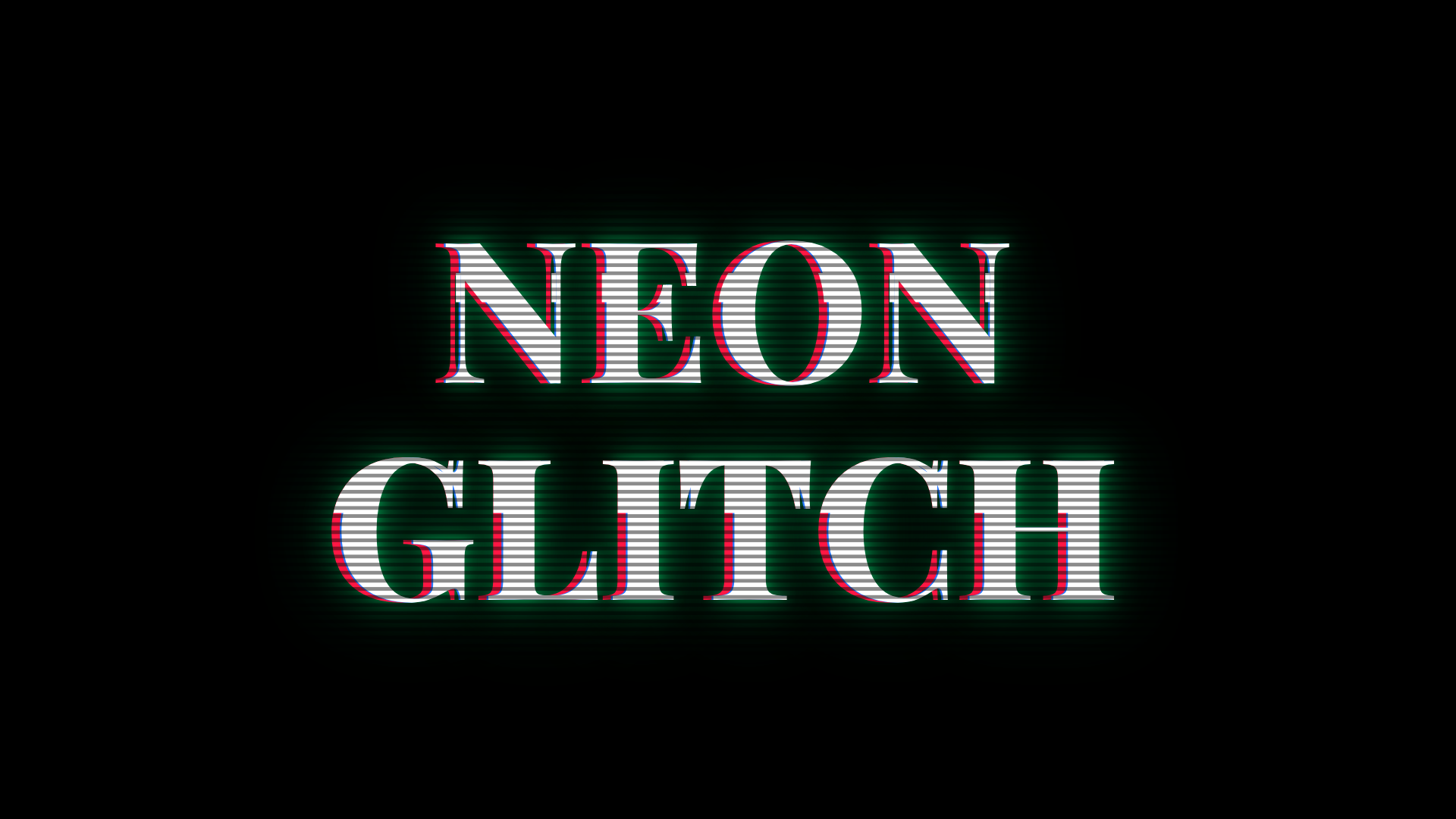
There's something about glowing neon text that instantly brings to mind late-night city streets, retro arcades and old-school television screens. Add a few flickers and bursts of distortion, and you get a glitch effect that works particularly well for music videos, travel recaps, gaming edits and cinematic title sequences.
TypeFlow's Neon Glitch Screen template lets you create this look directly in your browser. Add up to three lines of text, choose a font and customise the neon colours to get the look you want. You can also adjust the glow and use two contrasting RGB fringe colours to give the letters that familiar colour-splitting effect.
Customising the Glitch Effect
The glitch itself is completely optional. Leave it on for occasional bursts of distortion, or turn it off if you just want a clean, glowing neon sign.
You can also add CRT scanlines or a TV pixel grid to give the animation a more retro screen-like appearance. Adjust the strength and frequency of the glitch bursts to control how often the distortion appears.
For a little extra impact, there's an optional sound effect that plays with each glitch burst once your text is on screen.
The template is available on the Studio plan, with exports up to 4K at 60 fps.
How to Make a Neon Glitch Title
- Open Neon Glitch Screen. Find Neon Glitch Screen in the TypeFlow gallery and open it in the editor.
- Add your text. Enter up to three lines of text, choose a font and position your title in the frame.
- Choose your neon colours. Set the main text colour, adjust the two RGB fringe colours and fine-tune the glow.
- Customise the glitch and screen effects. Turn the glitch effect on or off, adjust its strength and frequency, and add CRT scanlines or a TV pixel grid. You can also enable a sound effect for each glitch burst.
- Export your animation. Download your animation as an MP4, transparent MOV or PNG sequence, ready to use in your video editor.
Make Your First Glitch Title Today
Open the template, type the line, and export a glitch title in minutes.
Open the template